Katanero on Commodore 64
Modem
Your Commodore 64 needs an internet connection to play.
Katanero runs on your Commodore 64 and connects to the game server to sign you in and exchange turns with other players. An original C64 has no built-in networking. A Wi-Fi modem plugs into its User Port and passes the game’s data between the C64 and your home network.
The User Port modem we successfully tested was based on the ESP8266 chipset. Katanero communicates with the modem at 2,400 baud. The TeensyROM and Commodore 64 Ultimate can provide the connection through SwiftLink modem emulation.
User Port Wi-Fi modems
Search eBay for modem wifi commodore 64 to find this type of adapter. These three listings show what C64 User Port modems look like. Check the chipset, firmware and 2,400 baud support for the specific unit. The listings do not all specify those details.
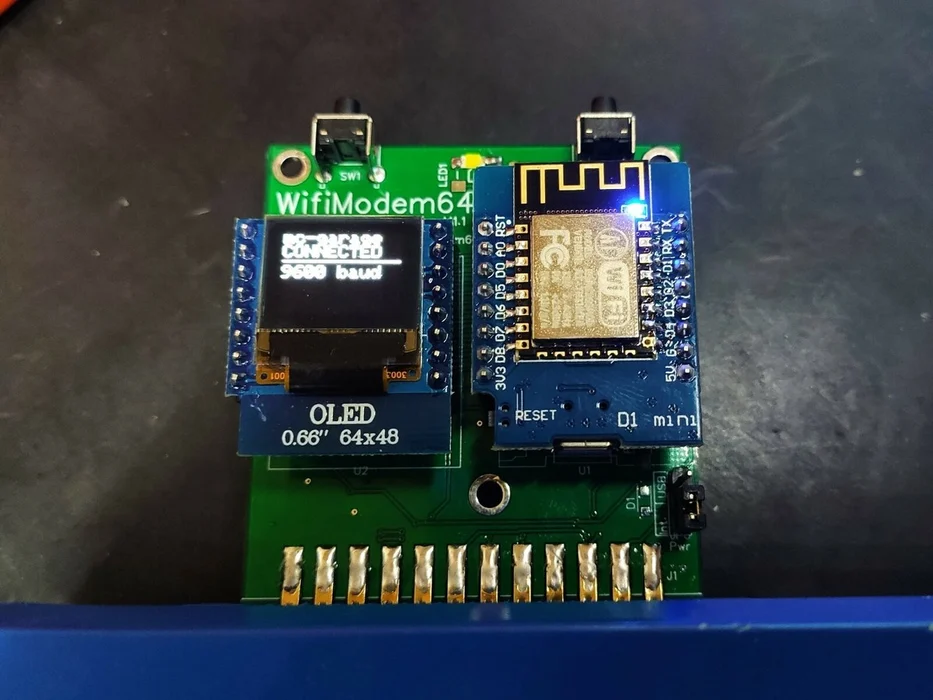
User-port Wi-Fi modem with OLED
A plug-in board for the C64 or C128 with an OLED display. It uses your home Wi-Fi, and the listing includes setup instructions.
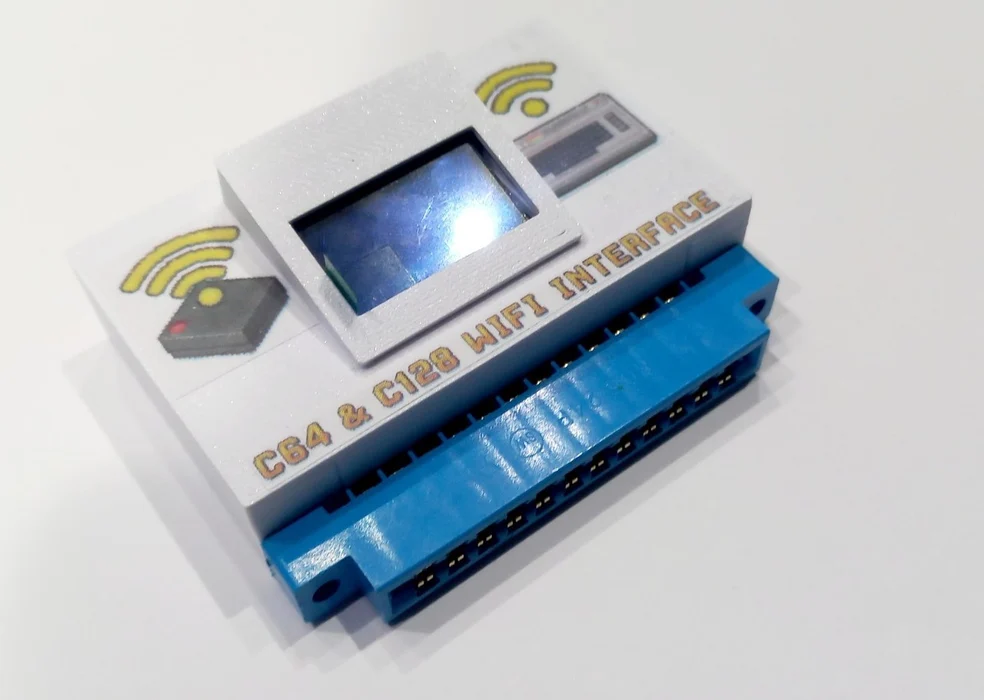
User-port Wi-Fi modem with status display
A C64 user-port modem that also supports the C128 in C64 mode. The seller lists 2.4 GHz Wi-Fi, a monochrome OLED that shows network status, and selectable speeds from 300 to 9,600 baud.
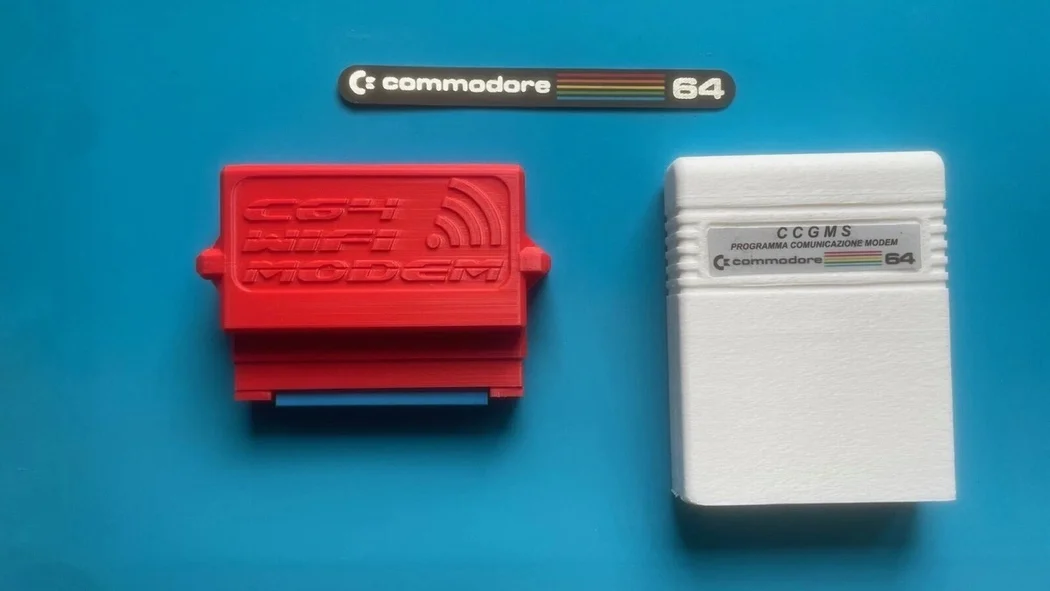
User-port Wi-Fi modem with CCGMS cartridge
A C64 or C128 user-port board that joins your home Wi-Fi. The listing includes instructions and a separate cartridge with the CCGMS terminal program. Katanero handles its own connection in game.
SwiftLink modem emulation
These setups bring the C64 online through the hardware’s network interface. In Katanero’s startup menu, select the SwiftLink / Ultimate 64 modem option.
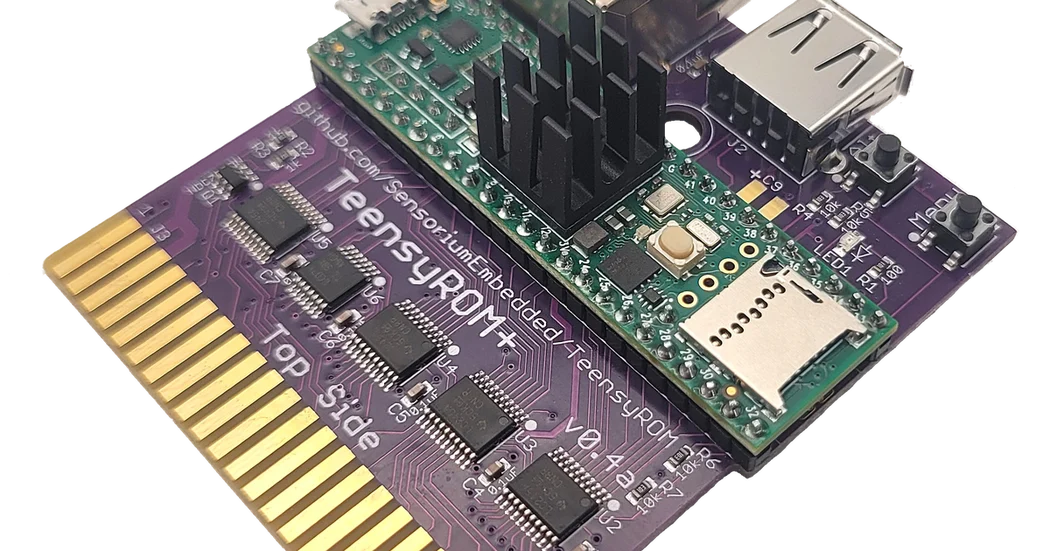
TeensyROM
The TeensyROM is an expansion-port cartridge for the C64 and C128. Its built-in modem emulates a SwiftLink serial interface and uses an Ethernet cable to connect to your router. In the TeensyROM settings, enable Swift-Turbo/Modem before starting Katanero.
The pictured TeensyROM+ (PCB v0.4) uses a Teensy 4.1. It also supports loading programs from SD or USB, cartridge ROM emulation and USB MIDI. The modem is part of both the original TeensyROM and the TeensyROM+.
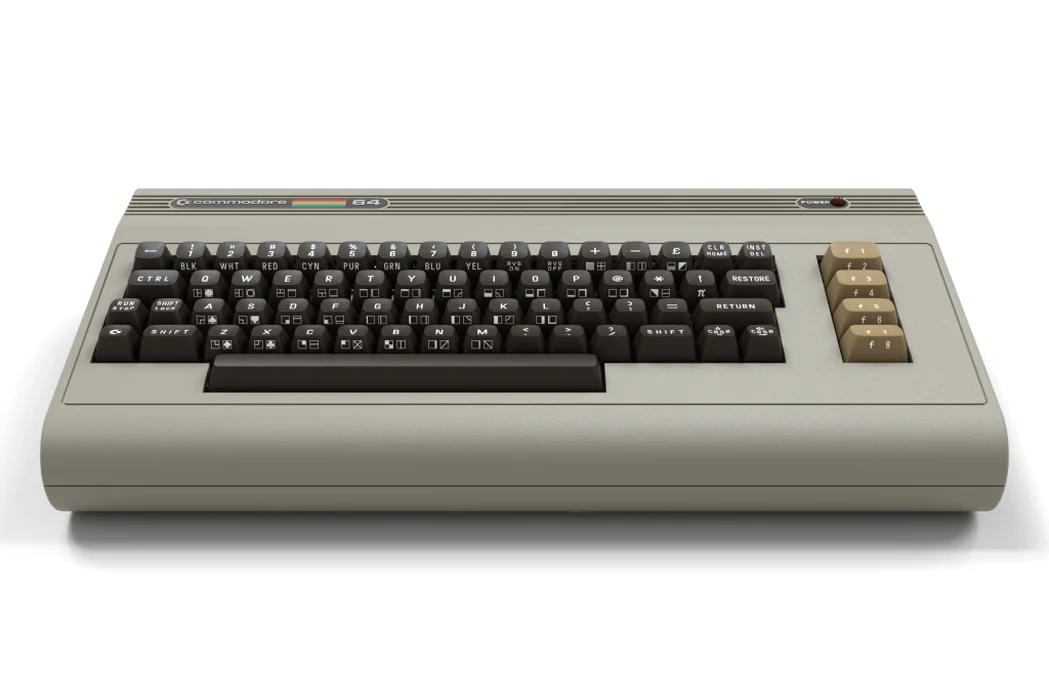
Commodore 64 Ultimate
The Commodore 64 Ultimate emulates a SwiftLink modem through its built-in network interface. Katanero works with this emulation over Ethernet. Connect the Ultimate to your network, enable the built-in modem with the ACIA address set to $DE00, then select the SwiftLink option in Katanero. This setup uses the Ultimate’s built-in hardware.
Connect and start the game
- Switch off the C64 before inserting any User Port adapter or cartridge.
- Connect the modem to your Wi-Fi using its setup instructions, or connect your TeensyROM or Ultimate to your network.
- Start Katanero and select User Port for a plug-in Wi-Fi modem or SwiftLink / Ultimate 64 for either built-in modem. The startup check will test the connection.