For Commodore 64
KATANERO for Commodore 64
A catapult, a target, and one terrible idea. Let’s go!
KATANERO is an online siege game for the Commodore 64. Choose who to challenge, line up your shot, and let the server tell you how it went.
This guide covers the C64 client. The web client follows the same rules, screens and game commands; it uses our original project font instead of the C64 ROM font, and adds browser play and touch controls for mobile devices.
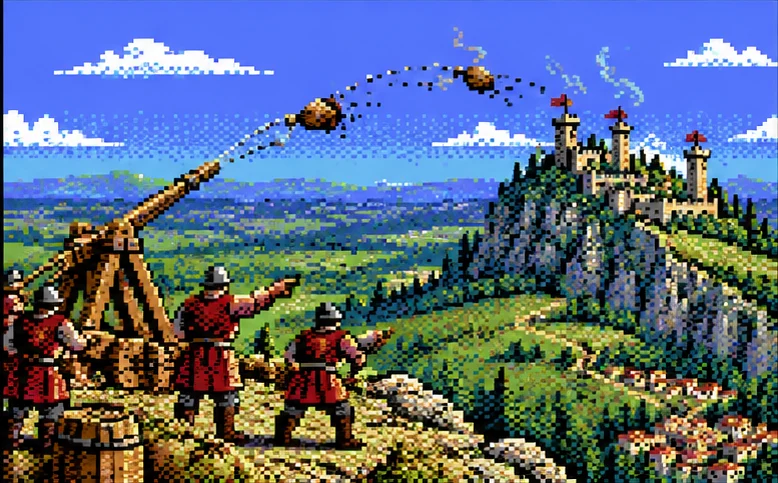
Aiming is a science. The sack, less so.
The game screens below are live captures from the web client, which shares the C64 rules, layout and commands. The web client uses our original project font; these images do not reproduce the Commodore ROM font. The menu is a project layout, with no server data or replies.
01 / Getting started
Start-up & login
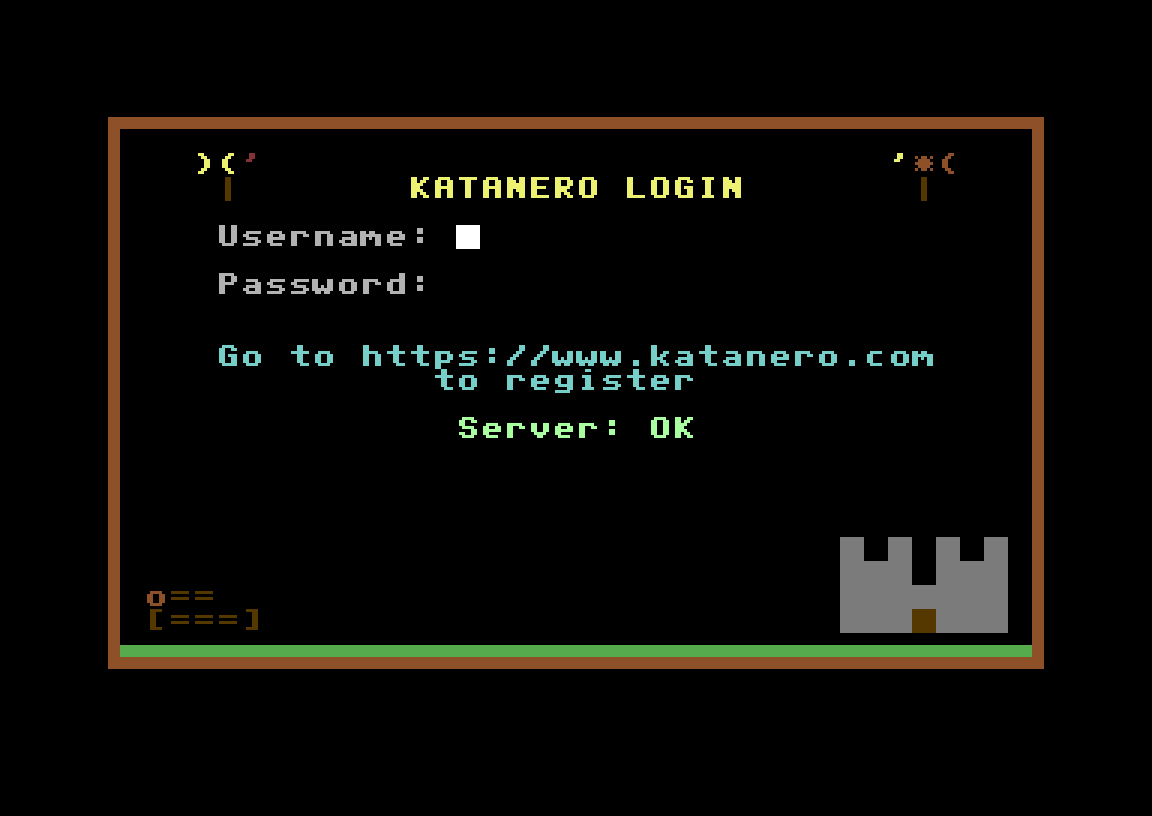
Start KATANERO on your Commodore 64 and complete the start-up and connection checks. When LOGIN appears, type your username and press RETURN; enter your password and press RETURN again. The password is masked with asterisks.
You need the online server to sign in and play. The messageServer: OKconfirms that the connection is responding. If login fails, check your details and follow the message on screen.
02 / Finding your way
The menu: five doors, a few dragons
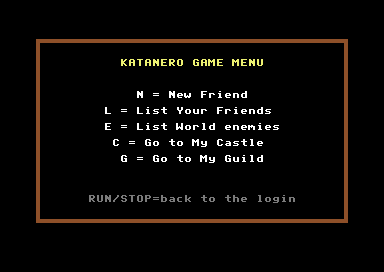
On the C64, press the letter shown beside a menu item. RUN/STOP goes back. Depending on the screen, you may see a siege warning or a guild update.
- N— add a friend as a target.
- L— open your friends list (it appears once you have friends).
- E— browse the system enemies.
- C— check your castle and any active siege.
- G— open the guild screen.
In the web client, you can also tap or click a menu item. On the C64, just press its letter key. Instructions at the bottom of each screen tell you what to do next.
03 / Choose your challenge
Add a friend or choose an enemy
Friends / N
A rivalry with a receipt
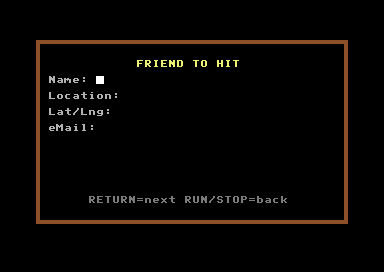
From the menu, pressN. Enter a name and location. If the search returns several places, scroll with CRSR ↑/↓ and confirm with RETURN. Enter the email address and press RETURN to save the target. The fields accept only characters supported by the C64: no accents, no black magic.
Enemies / E
Professional troublemakers
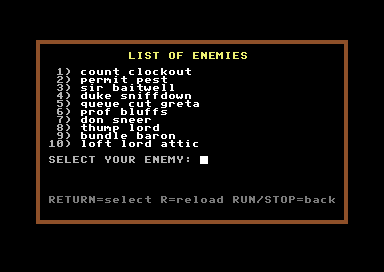
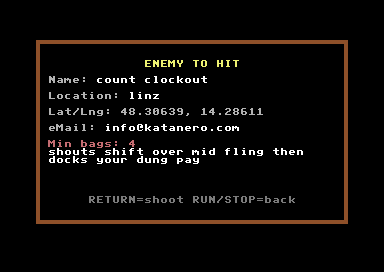
Eopens the system enemy list. You do not need to add them to your contacts: choose a number, press RETURN and read the profile.
To choose a saved target, pressLfor friends, orEfor enemies. Enter the requested number and press RETURN. In a profile, RETURN opens shot preparation; RUN/STOP goes back. In the enemy list,Rreloads the list from the server.
04 / The science bit
Set your aim, then fire
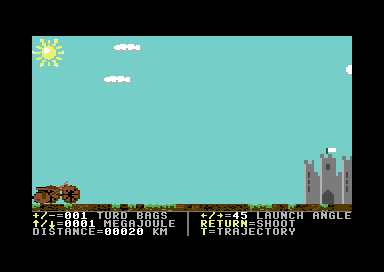
The shot screen HUD shows sacks, angle, power and estimated range. The estimate changes as you adjust the values; the server knows the real distance and decides the result.
Sacks
− and +
From 1 to 100. The more sacks you load, the shorter the shot. That is physics; manure logistics are another matter.
Angle
CRSR ← e →
From 0° to 90°. Find an angle that brings your range close to the target distance.
Power
CRSR ↓ e ↑
From 1 to 9999 MJ with CRSR ↓/↑. More power sends the sack farther.
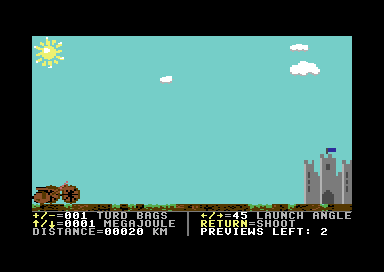
Hold the keys to adjust faster. PressTto preview the trajectory, up to three times per shot. When you are ready, pressRETURN. The real shot begins then; aiming controls pause during flight and reload.
05 / The server has the final say
HIT, MISS… or nosy birds
The server compares your range with the real distance. It is aHITif the shot lands within one kilometre of the target; otherwise it is aMISS. Do not rely only on the on-screen estimate: the server decides.
You may also getBIRDS: a flock intercepts the sack on 16% of shots, even when your aim is perfect. It counts as a MISS. Birds have terrible timing.
After a HIT on a friend, you will see a summary and fireworks; the game sends its usual notification. If you have already hit that target today, another HIT scores zero and the game suggests trying again tomorrow.
06 / Return fire
Under siege? Your turn
OpenC = Go to My Castleto see whether you are under siege and who hit you. Until you land a HIT on your attacker, you can target only them: no detours to the annoying neighbour.
If you hit back, the siege changes sides. A medieval tradition, with fewer horses and more RETURN.
07 / Web client only
The web client and touch controls
The web client is available. From the KATANERO main menu, chooseMy Keep: your personal dashboard opens. Sign in if asked. In theYour account section, choosePlay Online. That is the personal link into the game.
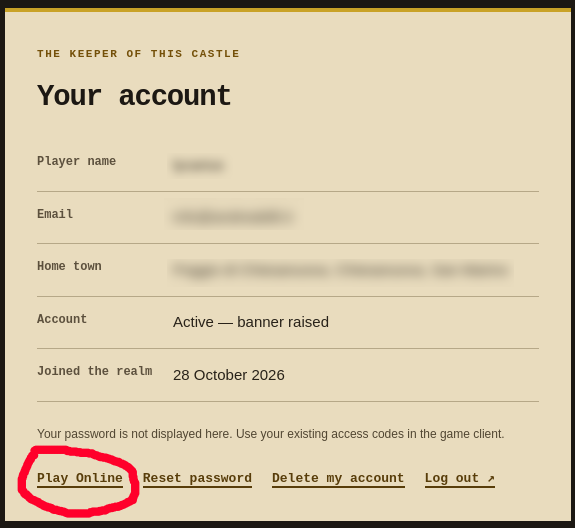
The web client follows the same screens, rules and keys described above. On a phone, play in landscape to see large keys at the sides of the screen. Adjust sacks, angle and power on the left; on the right you haveT(preview),RETURN(fire) andRUN/STOP(back). In portrait, the game pauses and asks you to rotate your phone.
On text screens, tap an item or name to select it; the phone keyboard opens in text fields. These are web client conveniences; on the C64, use the physical keys.
08 / Team play
Guilds and operations
SelectG = Go to My Guildto open the guild screen. If an operation is available, read the target, GMT time and orders; use the indicated keys to confirm or return to the menu. Operations have a 16-minute window: even knights cannot stop the clock.
Ready to launch?
The catapult will not load itself.
The same rules and commands are waiting for you in the web client.